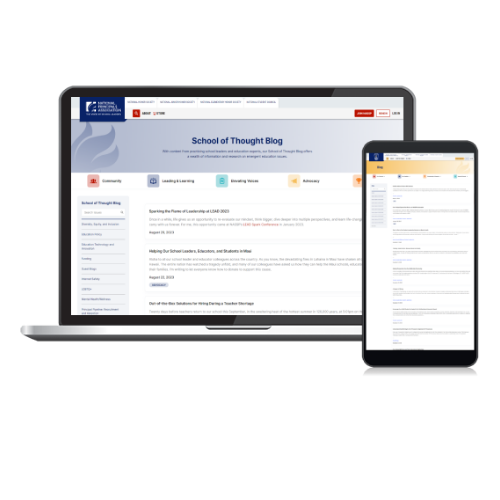
With content from school leaders, students, and teachers, the blog shows how emerging and innovative ideas in education are translated to the classroom and communities. Create and display your ideas and content alongside these education experts establishing yourself at the forefront of learning.
Sponsored Post Includes:
Blog post (750 words maximum)
Social media promotion of your blog post provided by NASSP tagging sponsor (please provide your company social media handle)
Ability to link to your website, resources, articles, etc.
Limited to (2) sponsored blog posts on each site per month
Content and Submission Guidelines
The below materials must be submitted 4 weeks in advance of the posting date.
Choose the audience: Students or School Leaders. (subject to availability)
A headline for the blog post (75 characters or less)
Blog post content (750 words maximum; closer to the 500-word range is ideal)
Copy must be sent in a word document .docx or .doc file
If images are submitted to include with the post, they must be sent as a .jpg or .gif file. Captions and photo credits must also be included
A short biography (1–2 sentences) that includes your current role and a brief synopsis of your experience
Feel free to hyperlink copy in your blog post to external articles or other documents online. If there is a document or video you want to link to that is not online, include the document as a .pdf file or the video as a .mp4 with your file submission
All content subject to NASSP copyediting and approval
We use cookies so that we can remember you and understand how you use our site. By using our site, you consent to cookies.
Cookie Settings and Privacy Preferences
Naylor website may request cookies to be set on your device. We use cookies to let us know when you visit our websites, how you interact with us, to enrich your user experience, and to customize your relationship with Naylor, including providing you with more relevant advertising. Click on the different category headings to find out more. You can also change your cookie preferences. Note that blocking some types of cookies may impact your experience on our websites and the services we are able to offer.
Essential cookies enable basic functions and are necessary for the proper function of the website.
Name
Description
Duration
Cookie Preferences
This cookie is used to store the user's cookie consent preferences.
30 days
These cookies are needed for adding comments on this website.
Name
Description
Duration
comment_author
Used to track the user across multiple sessions.
Session
comment_author_email
Used to track the user across multiple sessions.
Session
comment_author_url
Used to track the user across multiple sessions.
Session
Google Tag Manager simplifies the management of marketing tags on your website without code changes.
Name
Description
Duration
cookiePreferences
Registers cookie preferences of a user
2 years
td
Registers statistical data on users' behaviour on the website. Used for internal analytics by the website operator.
session
Statistics cookies collect information anonymously. This information helps us understand how visitors use our website.
Google Analytics is a powerful tool that tracks and analyzes website traffic for informed marketing decisions.
Used by Google Analytics to determine which links on a page are being clicked
30 seconds
_ga_
ID used to identify users
2 years
_gid
ID used to identify users for 24 hours after last activity
24 hours
_gat
Used to monitor number of Google Analytics server requests when using Google Tag Manager
1 minute
_gac_
Contains information related to marketing campaigns of the user. These are shared with Google AdWords / Google Ads when the Google Ads and Google Analytics accounts are linked together.
90 days
__utma
ID used to identify users and sessions
2 years after last activity
__utmt
Used to monitor number of Google Analytics server requests
10 minutes
__utmb
Used to distinguish new sessions and visits. This cookie is set when the GA.js javascript library is loaded and there is no existing __utmb cookie. The cookie is updated every time data is sent to the Google Analytics server.
30 minutes after last activity
__utmc
Used only with old Urchin versions of Google Analytics and not with GA.js. Was used to distinguish between new sessions and visits at the end of a session.
End of session (browser)
__utmz
Contains information about the traffic source or campaign that directed user to the website. The cookie is set when the GA.js javascript is loaded and updated when data is sent to the Google Anaytics server
6 months after last activity
__utmv
Contains custom information set by the web developer via the _setCustomVar method in Google Analytics. This cookie is updated every time new data is sent to the Google Analytics server.
2 years after last activity
__utmx
Used to determine whether a user is included in an A / B or Multivariate test.